Virtual worlds turn coding from an invisible activity into something learners can see, change, and share. A character can follow a sequence, open a door after checking a condition, or repeat an action until a goal is reached. Those immediate outcomes make programming ideas feel tangible, purposeful, and inviting for curious beginners.
Instead of treating a game as a reward after instruction, educators can use its world as a small laboratory. Learners test rules, notice unexpected results, revise designs, and explain choices while building something personal. This article examines progression, creative freedom, guidance, adult support, and the healthy balance between structured lessons and open-ended play.
What Coding Through Games Actually Teaches
Game-based coding first teaches that instructions have consequences. When a learner places commands in the wrong order, a character may turn too early, miss a target, or repeat an action forever. Rearranging those commands creates a visible lesson about sequence, precision, and the relationship between an instruction and the result it produces.
Conditions and variables become understandable when they control a world. A door might open only when a score reaches five, while a health value changes after a collision. Learners can then compare expected behavior with actual behavior, identify the rule that failed, and practice debugging without reducing the experience to abstract symbols alone.
Beginner-Friendly Programming Interfaces
Strong interfaces lower the first barrier without hiding the underlying ideas. They let learners manipulate logic, watch results, and make small corrections quickly. The best tools also name what is happening, so a child gradually connects a friendly command such as repeat with the programming principle of iteration rather than memorizing colorful shapes without understanding.
Blocks, Events, and Logic
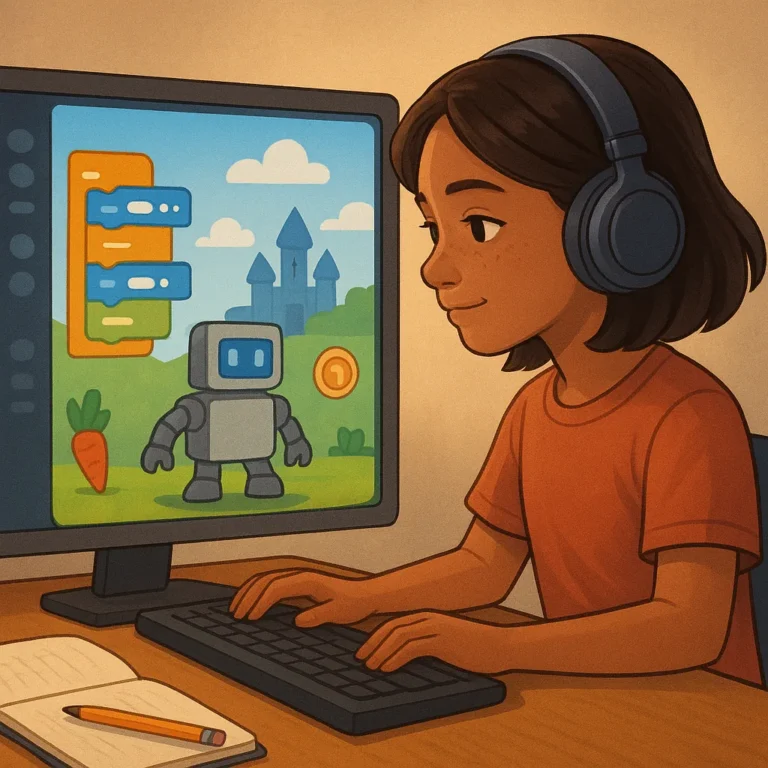
Block coding is useful because commands fit together like readable pieces of a sentence. Events answer the question of when something begins, actions describe what should happen, and conditions determine which path follows. By dragging these elements into a working sequence, beginners learn cause and effect before syntax errors distract them from the logic.
Progression From Lessons to Projects
Progression matters more than a dazzling first session. A guided editor can begin with short puzzles, then introduce custom variables, branching choices, timers, and reusable procedures. As confidence grows, learners should move from completing a prescribed challenge to altering its rules, explaining their decisions, and building a project whose behavior reflects their own questions.
From Guided Challenges to Original Projects
Tutorials provide a valuable starting point, but they should lead somewhere beyond the tutorial itself. After following a lesson, learners can change the setting, replace an obstacle, or invent a different goal. These small deviations turn imitation into experimentation and reveal whether the creator understands how the system produces its effects.
Original projects become richer when learners combine mechanics with a reason for making them. A racing challenge might explore fairness, a maze might express a story, and a cooperative task might require communication. Encourage sketches, quick prototypes, and reflection so productive struggle feels like part of designing rather than evidence of failure.
Teacher and Parent Support
At home, adults can begin with a modest goal, such as creating one interactive scene or explaining one rule. Ask what the learner intended, what happened instead, and which change might test an idea. Questions preserve ownership, while taking over the keyboard can quietly replace curiosity with dependence.
In classrooms, connect virtual projects to visible learning goals without making every choice identical. Pair learners for code reviews, invite demonstrations, and let different solutions succeed when they meet the brief. A short reflection can ask which rule changed, what evidence supports the result, and what the creator would improve next.
Balancing Learning With Open-Ended Play
Open-ended play supplies motivation because learners can pursue themes, characters, and challenges that matter to them. Protect some sessions from constant assessment, and allow social building, playful experiments, or beautiful details that have no obvious lesson. Enjoyment is not separate from learning; it often gives persistence a reason to continue.
Balance also requires practical limits. Set screen expectations, choose age-appropriate complexity, and watch for frustration disguised as endless restarting. Offer breaks, printed sketches, or a conversation away from the device. When play becomes too easy, add a meaningful constraint; when it becomes overwhelming, reduce the scope without removing the learner’s voice.
Choose a Coding World by Skill Level
Choose a beginner world with clear visual commands, immediate feedback, forgiving challenges, and a safe way to save work. Look for lessons that explain why a command matters rather than merely rewarding completion. Beginners benefit from short projects they can finish, revisit, and proudly show to another person.
Progressing creators need flexible editors, remixable examples, debugging tools, and room to combine systems. Learners ready for greater complexity can explore scripting, multiplayer rules, procedural behavior, or connected projects, provided the platform explains new ideas clearly. Match the world to the learner’s next stretch, then let personal projects determine the direction.