
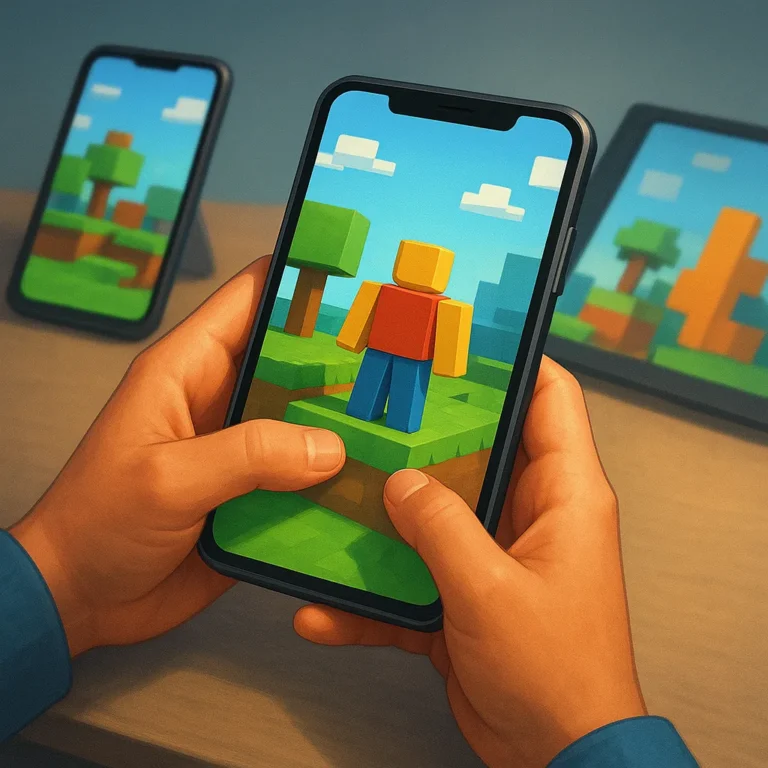
Creative multiplayer games feel different when they move from a desk to a phone. A smaller screen can still support building, exploration, and friendly competition, but success depends on thoughtful controls and dependable service. The best Roblox alternatives for mobile play respect short sessions while preserving enough depth for players who want to create.
Before choosing a platform, check how it handles touch movement, camera control, loading, battery drain, cellular data, account access, and communication. These details matter more on the go than a long feature list. A creative world is only enjoyable when it opens quickly, responds predictably, and remains comfortable during repeated play throughout busy days.
Mobile Play: The Practical Tradeoffs
Mobile play rewards flexibility, yet the setting introduces tradeoffs that are easy to overlook. Glare can make building menus harder to read, notifications can interrupt a careful task, and unstable connections may turn a shared session into frustrating pauses. Plan for those limits instead of assuming every desktop feature will feel equally natural.
Short sessions also favor games with quick recovery after an interruption. Look for clear save behavior, efficient rejoining, and worlds that do not punish you for stepping away when a train arrives or a household task begins. Headphones help with focus, while sensible notification controls keep social activity from taking over your entire afternoon.
Touch Controls and Interface Design
Phones Versus Tablets
Phones win when portability is the priority: they fit quick commutes, waiting rooms, and spontaneous building sessions. Their smaller displays can make precision placement and chat entry tiring, especially when several panels cover the world. Tablets offer more room for maps, inventories, and creative tools, though their weight may discourage truly mobile play.
External Accessories and Settings
Try a controller when camera movement or repeated actions feel awkward, but test compatibility before buying accessories for a particular device. Headphones can clarify distant sounds without broadcasting conversations, and a stand can reduce hand strain. Lowering effects, enlarging interface elements, or switching to a steadier control layout may help more than extra hardware.
Performance, Battery, and Data Use
Performance depends on more than a fast headline specification. Check whether the device stays responsive after several minutes, whether loading screens repeat, and whether heat makes holding it unpleasant. Close demanding background apps, keep storage available, and use a stable connection before starting a world that relies on frequent updates or shared activity.
Battery planning should be part of the choice, not an afterthought. Bright screens, wireless radios, voice chat, and intensive graphics can drain power quickly, especially in warm weather. Charge before leaving, carry a suitable power bank when appropriate, and avoid blocking ventilation. For cellular play, review data use and prefer downloaded resources where permitted.
Syncing Progress Across Devices
Device continuity starts with one reliable account, but an account name alone does not guarantee identical access. Confirm that progress saves to the service, purchases follow the account, and creations remain available on each supported device. Review login methods before traveling, because a forgotten verification step can block access when help is far away.
Sync settings can still differ between a full computer client, a tablet app, and a browser session. Check control layouts, privacy choices, age settings, and available creation tools after signing in on a second screen. If a feature is missing, do not assume the save failed; identify whether the limitation belongs to that device.
Mobile Safety for Shared Spaces
Shared spaces deserve the same care as shared computers. Use a strong, unique password, enable available account protection, and sign out on borrowed or family devices when your session ends. Avoid saving payment details where others can reach them, and check who can join, message, follow, or edit before opening a world publicly.
Families should discuss chat boundaries, invitations, and notification habits before children play independently. Public wireless internet may be convenient, but avoid entering sensitive information on networks you do not trust, and use cellular service or a known connection for account changes. Keep software updated, and pause play if unexpected prompts request credentials or purchases.
Pick a Platform for Your Routine
Choose based on your routine rather than chasing the longest feature list. For commuting, prioritize fast loading, low data use, and reliable recovery. For a family tablet, favor readable menus, simple account switching, and strong privacy controls. For home internet, you can trade some portability for richer creation tools and longer collaborative sessions.
Players who create for extended periods should test comfort as carefully as graphics quality. A stable stand, external controller, and nearby charger can turn a tablet into a practical building station, while a phone remains ideal for checking a project or joining friends briefly. Match the platform to how you spend time, not fantasy schedules.
Start with the option that makes your next session easy: a phone for immediate access, a tablet for comfortable creation, or a connected setup for longer projects. Test one representative world before committing, then adjust graphics, controls, privacy, and communication settings. The right choice is the platform you can enjoy consistently without fighting it.